BUSINESS
8 Social Post Content Ideas For Hairstylists During the Holidays
The Captions, Posting Tips and Client-Focused Content You Need This December
December behind the chair moves fast, and posting often falls somewhere between “I’ll do it later” and doomscrolling at 11 p.m. But staying visible now is what keeps your book strong in January.
At BTC—the world’s largest community of salon pros—we know it’s late in the holiday season, but smart social posts can still spark last-minute bookings, keep clients engaged and drive end-of-year revenue. Below, we've pulled together eight plug-and-play posts with captions, visual prompts and simple content tips you can use instantly. No overthinking. No editing marathons. Just quick, client-friendly posts built for your busiest month.
[btc-banner id="815654"]
1. The Last-Minute Openings Post
Last-minute openings only get booked if clients see them. A quick “today’s openings” post on your feed and Stories puts available times where clients look first.
Copy-and-paste caption:
“Last-minute holiday spots just opened. Message me to book before they’re gone.”
What to post visually:
Chair shot with “Today’s Availability” text
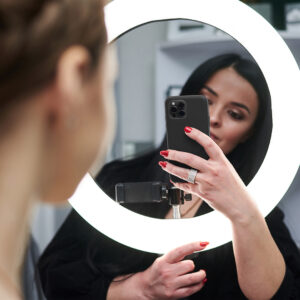
Mirror selfie at your station
Appointment book with open times circled
Simple graphic listing your remaining slots
Short station video panning with: “A few openings left today”
Want an easy way to upsell this season? Start with this holiday service menu.
2. The “I Don’t Have Time to Make Content Today” Post
The fastest way to stay active in December is to reuse what already works. Salon Educator and BTC Team Member Samantha Wilson (@samanthasbeautyconfessions) teaches a simple repurposing system: revisit your top posts, reuse strong captions and pull clips already in your camera roll.
Here’s how to apply her method for the holidays:
Repost a popular look as “Holiday hair inspo”
Turn an old caption into a voiceover for new footage
Add text like “Book your gloss/trim/style before the week fills up” on any in-process clip
Reframe unused fall before/afters as event-season hair
Share a simple blowout or curling clip: “Holiday hair loading…”
Click below to see her full breakdown:
[btc-banner id="826146"]
Pro tip: Create a “Ready to Post” album and add one photo or clip per client. Even starting now helps you build next year’s holiday library.
Clients not converting from your profile? Learn why and how to fix it fast. Plus, get a checklist of what your profile needs to attract the right clients.
3. The “Gift Cards That Actually Drive Bookings” Post
Gift cards perform best when you show clients how they can use them, not just that you sell them. Press play to see how Blondtourage (@blondtourage_)—a leading Dallas blonding and extensions salon known for creating high-engagement, client-focused posts—does it:
[btc-banner id="826234"]
Post ideas:
Blowout with text: “Gift a January refresh.”
Finished holiday style labeled: “Give the gift of good hair.”
Gift card placed on retail shelf: “When you have no idea what to get—this always works.”
Carousel of a blowout, gloss and trim labeled: “What our gift cards cover.”
Clip placing a gift card into a holiday bag: “Perfect when you're out of ideas, but not out of people to shop for.”
Copy-and-paste caption:
“Still need a holiday gift? Gift cards are available—perfect for a January refresh, gloss, trim or styling appointment. Message me to grab one.”
Want to get the most out of your captions? See how to use keywords on Instagram to grow your page.
4. The “Holiday Retail Giveaway” Post
December clients are gifting, shopping and already spending—so salon giveaways hit differently this time of year. The Network Salon (@thenetworksalon), owned by Gina Sicard (@iamginabianca), kept their holiday promo simple: 25 percent off retail and a Dyson® Airwrap giveaway with every product purchase counting as an entry:
[btc-banner id="826233"]
What to post visually:
Clip of a client checking out with retail
Close-up of retail shelves
Short shot revealing the giveaway prize
Text overlay: “25% Off Retail + Giveaway Entry”
Copy-and-paste caption:
“25% off retail today, AND every purchase enters you to win [prize]. Don’t miss this one.”
Want to grow your Instagram? Check out Gina’s Social Climbing workbook for goal-setting prompts and actionable IG strategies.
[btc-banner id="825465"]
5. The “Holiday Hair for Every Event” Carousel
Clients often know their event before they know their hairstyle. Use existing after photos to show which looks pair well with each occasion—helping clients visualize and book confidently.
Post ideas:
Polished waves or a sleek blowout: “Perfect for blouses, blazers and work events.”
Soft curls or low-texture styles: “Effortless, classic and photographs beautifully.”
High-shine styles or glam curls: “Bring on the sparkle for New Year's Eve—these styles last all night.”
Clean trims and/or refreshed face-framing layers: “A little shape goes a long way in holiday photos.”
Copy-and-paste caption:
“Need help getting ready for your holiday event? Message me, and I’ll help you find an appointment before the week fills up.”
More visibility = more bookings. Update these 5 Google Profile areas for holiday traffic.
6. The “Holiday Hair Inspo Grid” (Easy Mood Board Post)
Holiday posts don’t have to be full Reels; sometimes, the easiest way to spark bookings is to show clients a board of looks they can point at. Loreance Vega (@hairbyloreance), a stylist at Eric Vaughn’s (@realericvaughn) Houston-based salon, does this with a simple screenshot: nine finished looks from her camera roll labeled “Holiday Hair Inspo.”
[caption id="attachment_826232" align="alignnone" width="300"] Photo Credit: Instagram via @hairbyloreance[/caption]
How to recreate it:
Open your photo album and choose nine finished looks
Screenshot the grid (no editing needed)
Add text like “Holiday Hair Inspo” or “Holiday-Party-Ready Looks”
Copy-and-paste caption:
“Holiday hair inspo pulled straight from my camera roll. If you see something you love, message me and we’ll get you booked.”
Want to make your inspo grid even stronger? Mix in a few of this year’s trending tones and cuts. Chances are, you’ve already created versions of these looks:
The 10 Biggest Hair Color Trends for Fall/Winter 2025
The Top 6 Haircut Trends of Fall/Winter 2025
5 Fall/Winter 2025 Hairstyling Trends
8 Latte Hair Color Formulas You Need on Your Fall/Winter Menu
7. The “Not Another Still Photo of a Finished Look” Post
When every after photo starts looking the same, movement instantly elevates your feed. BTC Team Member, salon owner and educator Mickey Colon Jr. (@mickeycolonjr) uses a simple two-phone transition that makes any finished look feel premium:
[btc-banner id="826145"]
How to recreate Mickey’s post:
Record your client doing slow turns or soft movement on your main phone.
Record that recording using a second phone pointed at your screen.
Save both clips and stack them in a Reel:
Clip 1: the “phone filming a phone” moment
Clip 2: the clean finished footage
Add text like “Holiday Hair,” “Shine Season” or “Event-Ready Hair.”
Copy-and-paste caption:
“Holiday hair hits different when you see the shine and movement. If you want hair that photographs and videos well for your holiday plans, message me and I’ll help you book the right service.”
8. The “Holiday Wishlist” Reel
A holiday prompt plus three quick clips (shine, trims, blowouts) creates an instant booking post. Clients respond fastest to visuals that help them picture their own holiday hair, which makes them more likely to lock in an appointment.
See how Loreance does it here:
[btc-banner id="826231"]
How to recreate it:
Drop in a few clips from your camera roll (finished look, shampoo moment, blowout, shine shot).
Add text: “What do you want for Christmas?”
Underneath, add: “Me: (related emojis)”
Copy-and-paste caption:
“Holiday wishlist: healthy, shiny, dreamy hair. If your hair is on your list this year, message me, I’ll help you grab an appointment before everything fills up.”
Up Next: The 2026 Pantone Color of the Year is Cloud Dancer—Here’s What it Means for Hair